
Why Embed a Flip Clock?
Whether you're building a comprehensive Notion dashboard for your studies, or designing a personal website, an embedded flip clock adds a dynamic, aesthetic touch to your digital space. It gives you a quick, beautiful way to track time without leaving your workspace.
Embedding in Notion
Notion makes it incredibly simple to add widgets to your pages. To embed FlipCloc:
- Open the Notion page where you want the clock to appear.
- Type
/embedand press Enter to create an embed block. -
Paste your customized FlipCloc URL (e.g.,
https://flipcloc.com/clock) into the input field and click Embed link. - Resize the block to your liking. FlipCloc will automatically scale to fit perfectly!
Embedding in Websites
If you want to add FlipCloc to your own HTML website, blog, or a platform like Webflow or Framer, you can use a simple iframe snippet
HTML iframe Example
<iframe
  src="https://flipcloc.com/clock"
  width="100%"
  height="400px"
  style="border: none; border-radius: 12px;"
  allow="fullscreen"
></iframe>
Adjust the height and width attributes to fit your layout
Make it Your Own
The best part about embedding FlipCloc is that you aren't stuck with a generic design. Because FlipCloc is
highly customizable, you can match it to the exact aesthetic of your Notion template or website. Use the
direct links like /minimal-clock or /aesthetic-pomodoro to embed specific themes instantly
Easy Integration
Simply paste the URL into Notion or copy an iframe snippet for your website. It takes less than a minute
Fully Customizable
Customize the colors, fonts, and themes of your embed to perfectly match your Notion aesthetic or website design
Seamless Resizing
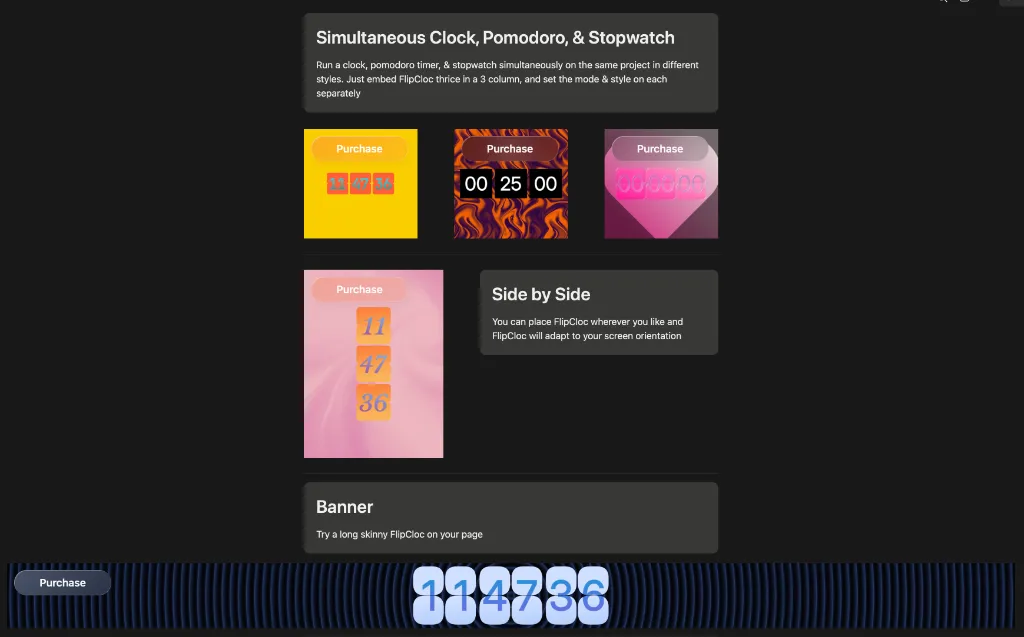
FlipCloc is completely responsive and you can resize your embed to any shape you like, a square, a banner, or longer vertically