
Sounds Guide
Complete guide on how to use FlipCloc Sounds
Quick Guide
- 1
Choose from Atmosphere sounds like Rain, Birds, Stream, Campfire, Underwater, or Ocean
- 2
Select your preferred Flip Sound: Classic, Mechanical, Electronic, or Soft
- 3
Set Alerts & Chimes like Alarm, Beep, Bell, Chime, Chirp, Gong, or Ribbit for Pomodoro and Stopwatch completions
Acoustic Ambience
Sound elevates the FlipCloc experience and helps you focus. From the gentle mechanical click of a flip to the soothing sounds of nature, FlipCloc offers a variety of sounds to help you focus
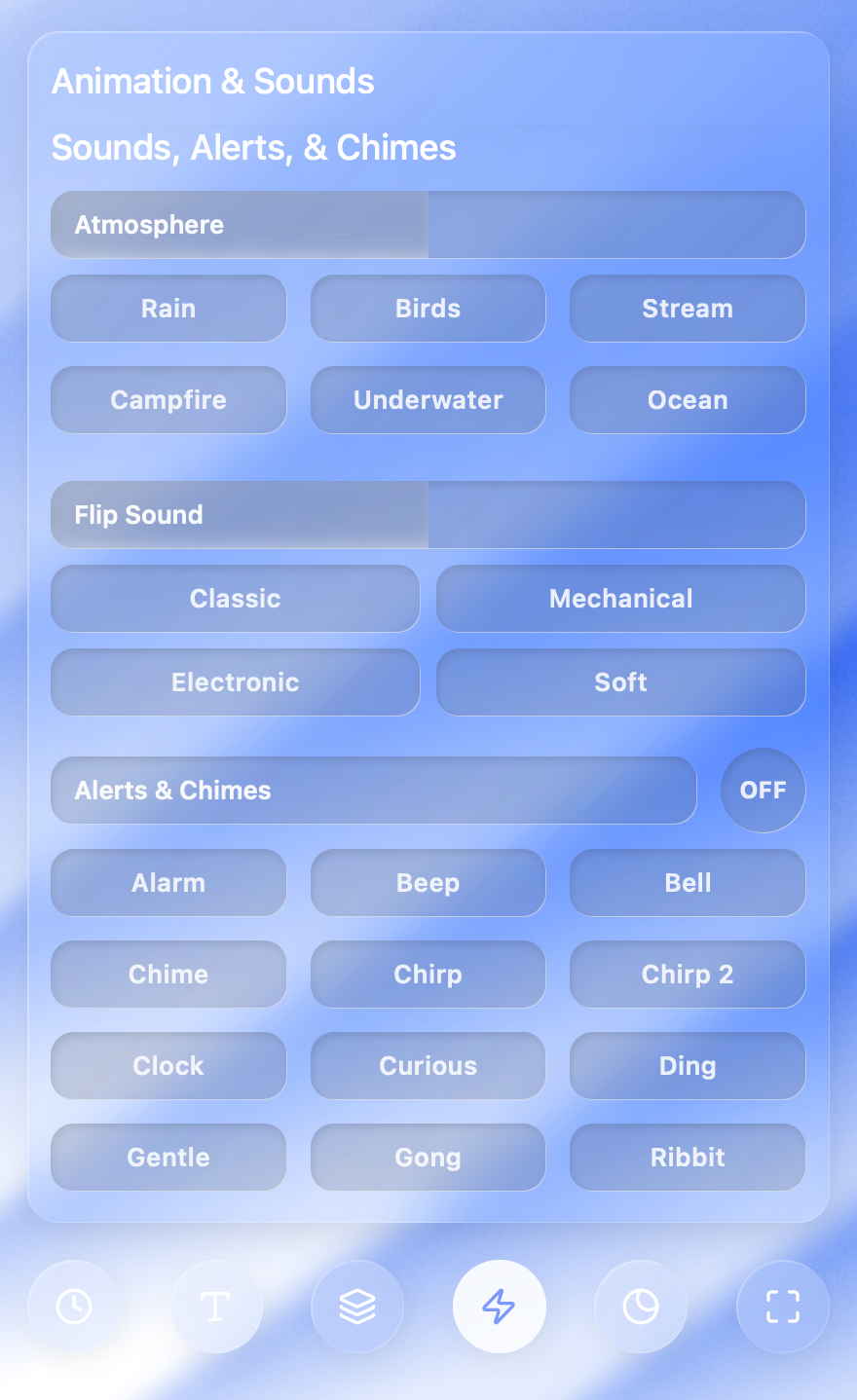
Explore atmosphere sounds, mechanical flip effects, and timer alerts
Atmosphere Sounds
Create your perfect focus environment with our loopable ambience tracks:
- Rain: A steady, calming downpour for focused deep work
- Birds: Gentle morning chirps to stay connected with nature
- Stream: The rhythmic flow of a forest creek
- Ocean: Deep, rhythmic waves for relaxation and stress relief
- Campfire: The cozy crackle of a warm fire
- Underwater: A muffled, deep-sea ambience for total immersion
Flip Sound
The core of any flip clock is the "click". You can customize this mechanical sound:
- Classic: The familiar, standard flip sound
- Mechanical: A heavy, traditional click inspired by 1960s clocks
- Electronic: A sharp, modern sound for a digital aesthetic
- Soft: A subtle, quiet flip for minimal distraction
Alerts & Chimes
Never miss the passing of time in clock & stopwatch modes or a session end in Pomodoro with customizable alerts & chimes. Current options include:
- Alarm & Beep: Traditional attention-grabbers
- Bell & Chime: Gentle, musical notifications
- Gong: A resonant, meditative end to your deep work
- Chirp & Chirp 2: Short, playful sound bites
- Ribbit: A fun, unexpected alert for a lighter mood