
PWA Guide
Complete guide on how to use FlipCloc PWA
Quick Guide
- 1
Open flipcloc.com in your mobile or desktop browser
- 2
Select "Add to Home Screen" or "Install" from the browser menu or share sheet
- 3
Launch FlipCloc instantly from your device home screen, taskbar, or dock
The Best of Both Worlds
A Progressive Web App (PWA) allows you to pin FlipCloc on your device directly from your browser. It behaves like a native app with its own icon on your desktop or home screen without any download

One app, all your devices. Seamlessly installed
Benefits of the PWA
- Standalone Window: Removes browser UI like address bars and tabs for a clean look
- Quick Launch: Launch FlipCloc directly from your taskbar, dock, or home screen
- Better Performance: PWAs are faster and more performant since they load fewer browser technologies
iOS (iPhone & iPad)
Follow these steps to add FlipCloc to your iOS home screen via Safari
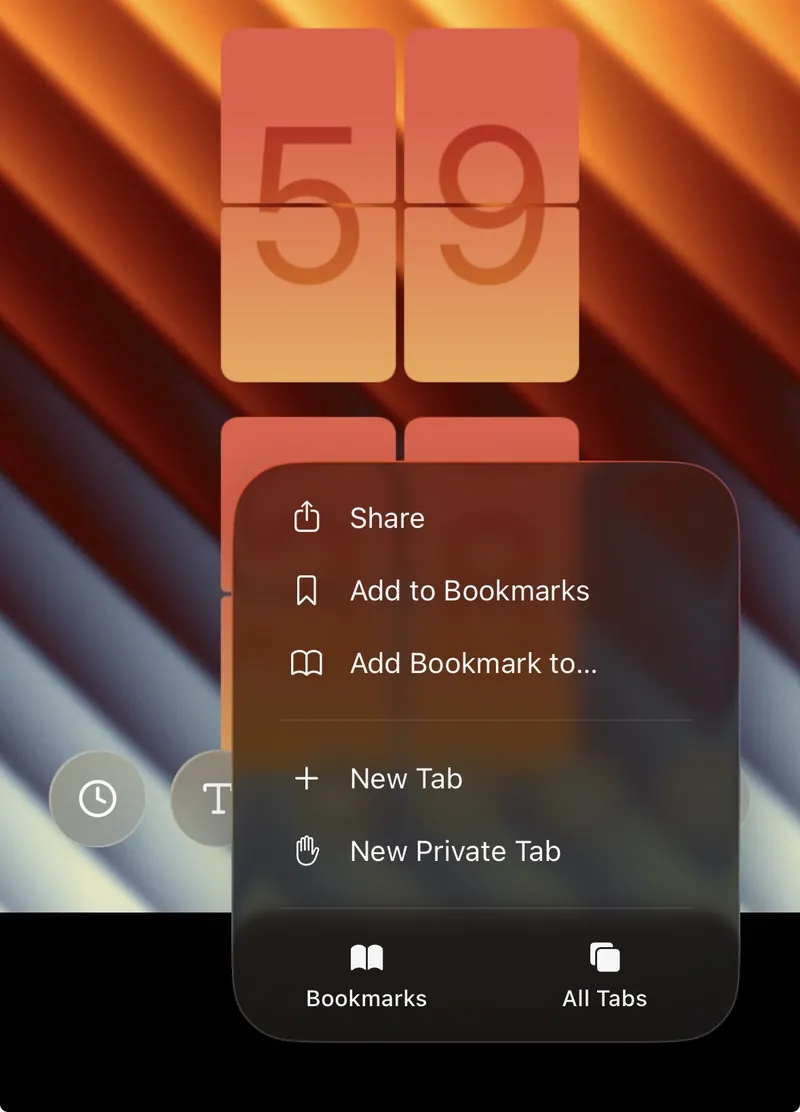
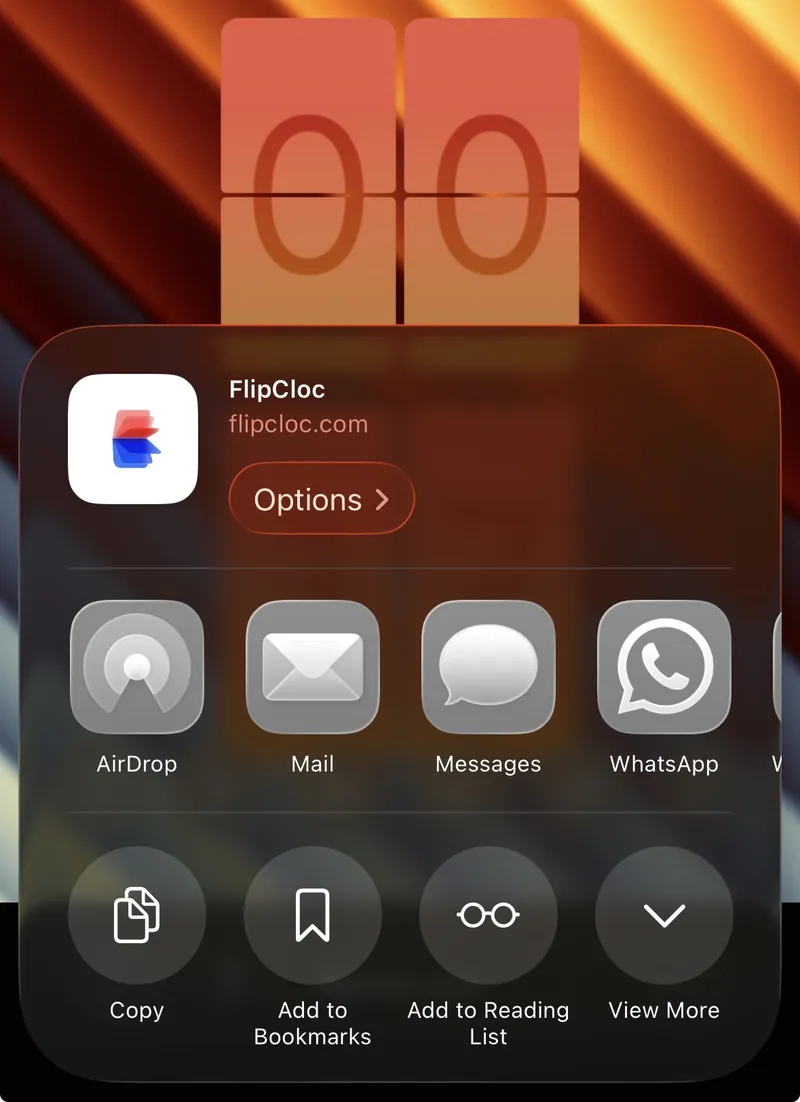
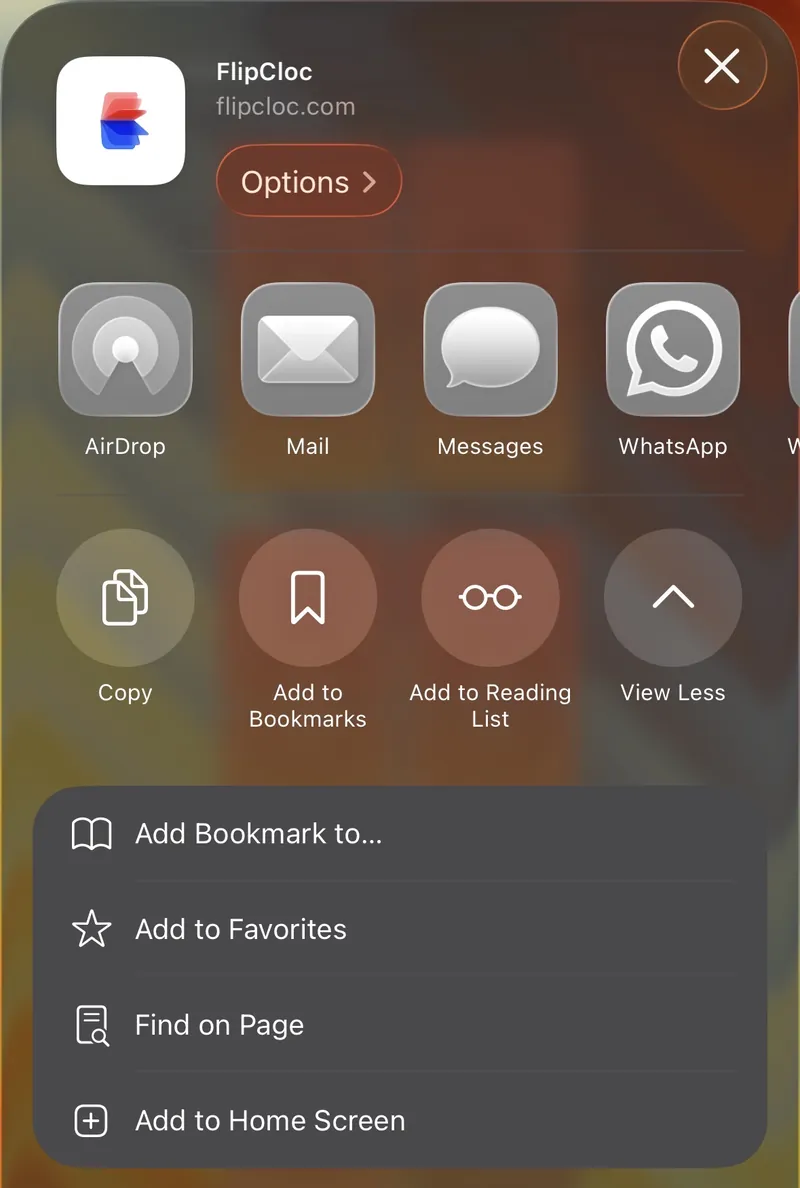
- Open Safari: Navigate to
flipcloc.com - Three Dots: Tap the three dots beside the URL bar
- Share Icon: Tap the "Share" button (square with an up arrow)
- View More: Tap View More
- Add to Home Screen: Select "Add to Home Screen"
- Confirm: Tap "Add" at the top right
Android (Chrome)
Android users can enjoy a seamless app experience directly from their app drawer
- Open Chrome: Navigate to
flipcloc.com - Menu: Tap the three dots (⋮) in the top-right corner
- Install App: Select "Install app" or "Add to Home screen"
- Follow Prompts: Confirm the installation on the pop-up
Desktop (Chrome / Edge / Safari)
Installing on your computer is the best way to keep FlipCloc accessible while you work
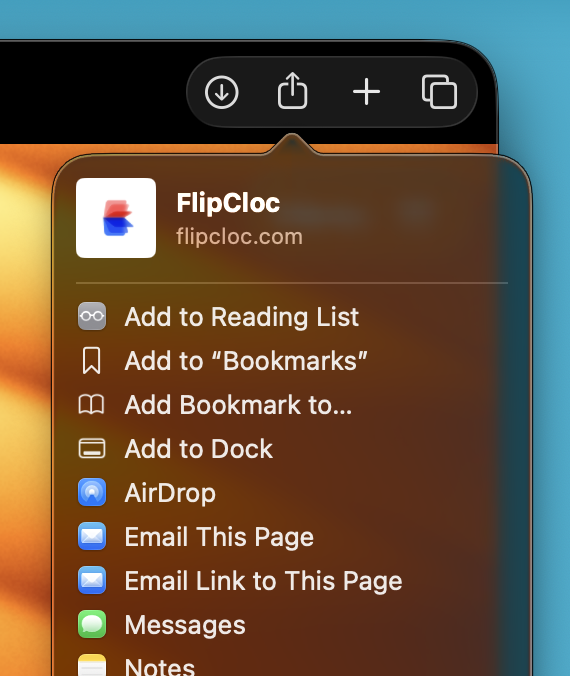
- Open Browser: Navigate to
flipcloc.comin Chrome, Edge, or Safari - Install:
- Chrome/Edge: Look for the "Install" icon in the address bar
- Safari (macOS Sonoma+): Tap
Share>Add to Dock
- Confirm: Click "Add" or "Install" in the pop-up window
Pro Tip: Pin FlipCloc as a PWAs on iPhone, iPad, & Android for a native-like FlipCloc experience. No
download needed!